> For the complete documentation index, see [llms.txt](https://docs.astrakode.tech/akb-wiki/llms.txt). Markdown versions of documentation pages are available by appending `.md` to page URLs; this page is available as [Markdown](https://docs.astrakode.tech/akb-wiki/astrakode-wiki/network-composer/components/organization.md).
# Organization
## Introduction
An Organization is an entity that operates on the Network in some form. Through their Certificate Authorities, Organizations are able to issue identities to their members, and any entity invoking any type of transaction on the network must be associated with an Organization's membership to source the transaction and determine whether it is allowed to go through.
Via membership to a Consortium and its deriving Channel(s), Organizations can transact on a Channel’s ledger through their dedicated endpoints: Peers.
## Configuration
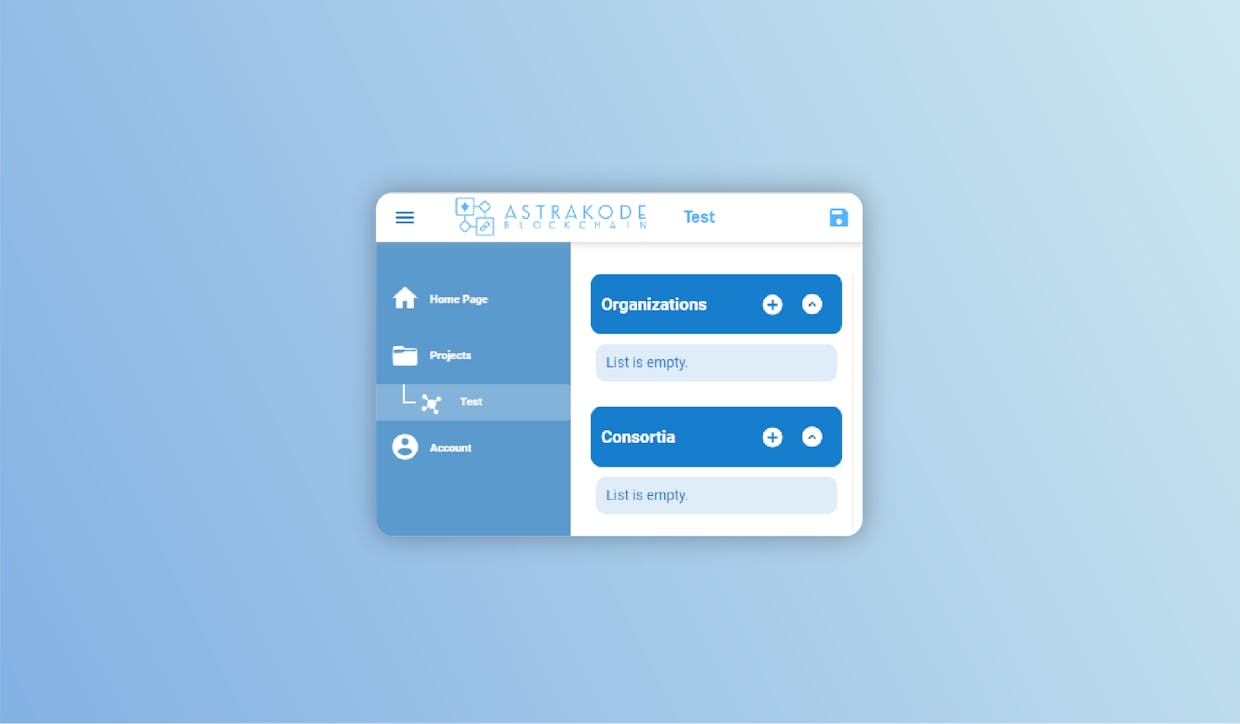
Click the “+” button to add your organization.
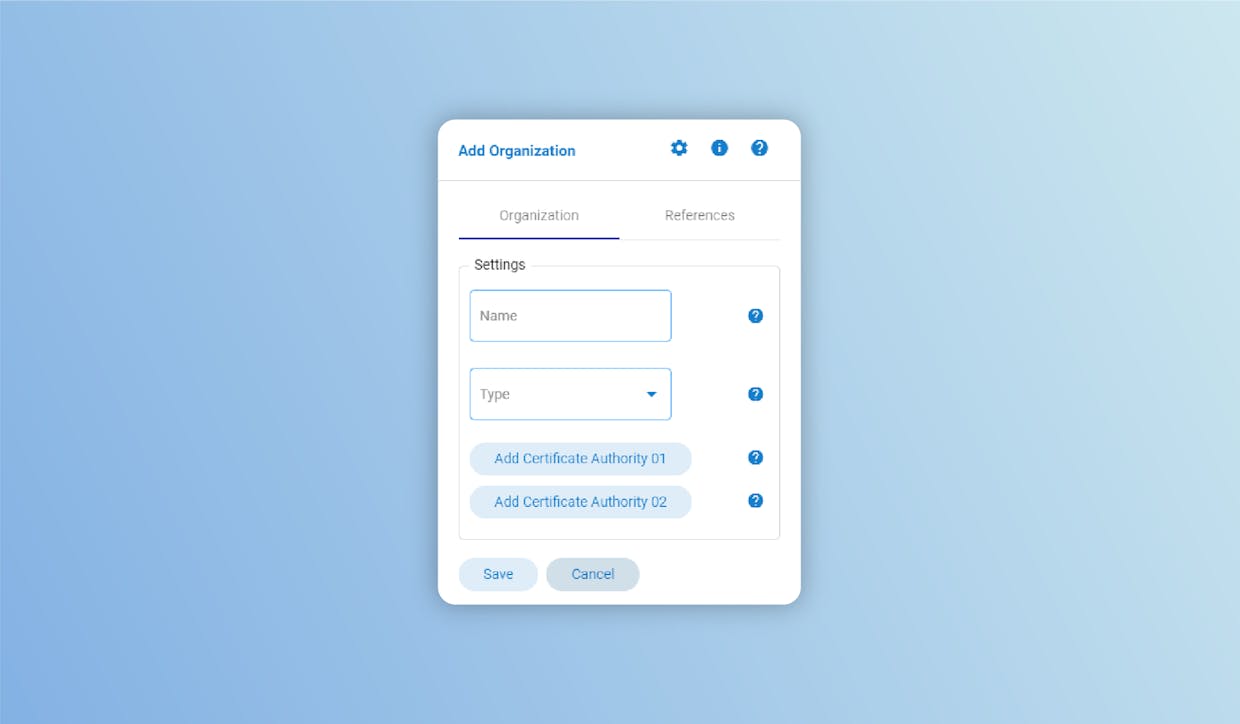
### Settings
* **Name**: defines the organization’s name (Organization Name must be set);
* **Type**: defines whether this Organization is a Client or Orderer Organization (Organization Type must be set, and it can be “Client” or Orderer);
* **Certificate Authority 01**: defines a first Certificate Authority for this Organization (At least one Certificate Authority must be defined for this Organization);
* **Certificate Authority 02**: defines a second Certificate Authority for this Organization.
{% hint style="info" %}
Notes:
* The name assigned must always be unique. (Not case sensitive)
* Names must contain only alphanumeric characters or '\_' and be 20 characters at most.
{% endhint %}